

Table of contents:
Intro: Should we use apps for teaching reading or not?
App #1: Reading.com
App #2: Hooked on Phonics
App #3 Readability Tutor
App #4: Ello
App #5: Funnix
App #6: Fast Phonics
App #7: LingoKids
App #8: Epic!
App #9: Teach Your Monster to Read
App #10: Khan Academy Kids
App #11: Starfall
*Affiliate Disclosure: Some links lead to Amazon marketplace. As an Amazon associate, I earn from qualifying purchases, at no additional cost to you. This helps keep the information on the blog free and available to everyone. There may be other affiliate links on the article, meaning that I could earn a small commission should you buy from them, at no additional cost to you. This helps keep the information on the blog free and available to everyone.
Last Update – January 2026
Should we use apps for teaching reading or not?
I’ve heard very opposing views on this topic.
Technology in early literacy often gets both vilified and glorified. Some people see reading apps as powerful learning tools. Others see them as nothing more than distractions.
So, after a great deal of research, here’s my take:
There is good technology and bad technology. And we shouldn’t confuse well-designed educational apps with social media.
High-quality educational technology allows children to focus deeply on the skill they are learning, creating an immersive learning experience. This is the opposite of what social media does, which constantly pulls attention away through notifications, ads, and endless distractions.
I’ll admit—I’ve changed my view on technology over the years. I used to strongly dislike it and see it mostly as a distraction.
Today, I still believe technology should never replace human instruction. However, I do believe that good-quality educational apps (and yes, quality is key) can play a valuable role when used intentionally to support learning to read.
That said, not all literacy apps are created equal.
And no app will magically teach your child to read. Apps are support tools, not substitutes for instruction. Even the most well-designed digital reading programs still require guidance and involvement from you.
After testing and reviewing a wide range of reading apps, I’ve created this updated ranking of the best learn-to-read apps for 2026.
This article has been regularly updated since it was first published—and this year, I’ve discovered some new gems worth sharing.
So, without further ado, here is our ranking of the best learn-to-read apps in 2026.
#1: Reading.com
Highlights: A literacy curriculum in an app, based on the Direct Instruction (DI) model. It includes 99 fully scripted lessons, a library of scaffolded & decodable digital books, printable worksheets and educational games to reinforce learning.
Price: 7-day free trial. After that, $6.25/month (yearly subscription)
How to get: Get free trial Click here
NEW: Teacher’s Edition here! Adds teacher portal support (more info below!)
What is Reading.com?
Reading.com is a learn-to-read curriculum in an app! Yes, that’s right! This app is not only for a little bit of play here and there. If you are consistent in its use, this app can take your child from letter recognition, letter-sound knowledge, and other pre-reading skills to fluent reading.
It is based on the Direct Instruction Model to teaching reading. If you haven’t heard of this before, you may want to check this article out.
To put it in a nutshell , this model emphasizes clear instructions, carefully planned lessons, very gradual learning and the use of a script to avoid any sort of misinterpretations. This system has been around since the 1960’s and the results achieved by it have been overwhelmingly positive.
The app includes 99 guided lessons (between 5 to 20 minutes to complete max. each), and requires for you to be next to your kid to read the instructions in the app, and correct mistakes.

What makes this app so special? Reading.com Pros
This app well deserves the #1 spot in our 2026 ranking for a number of reasons!
- It’s really easy to implement: Since you follow a script, you know exactly what to say every single time. The app is extremely user-friendly for you—as the lesson facilitator— and for your child.
- One of the few apps in the market based on the Direct Instruction Model to teaching reading: As explained earlier, the results achieved by this system have been extremely positive. The Direct Instruction Method is backed up by large-scale studies.
- Getting involved in the learning experience as the facilitator of the lesson is actually a great idea: Research shows that children are way more likely (19 times more likely!) to learn from an app if they are being guided by a parent.
- User friendly, engaging and distraction-free: This app is a real pleasure to use. It’s extremely intuitive for both children and adults. In my experience, kids are immediately drawn to its cute, modern design, while the calm, uncluttered layout helps them stay focused and learn without unnecessary distractions.
- The alphabet song is super catchy! The alphabet song is genuinely excellent—and very catchy. It helps children learn letter sounds and creates a consistent routine, as every lesson begins with the song. This predictability makes lessons feel familiar and engaging from the start, setting the mood for the lesson.
- A smart co-reading approach with decodable books: The co-reading format is especially effective in the early stages. Each lesson ends with a book, where your child reads only the words they’re ready to sound out based on their current phonics level, while you read the rest. This allows stories to feel richer and more enjoyable, without limiting vocabulary too much too early.
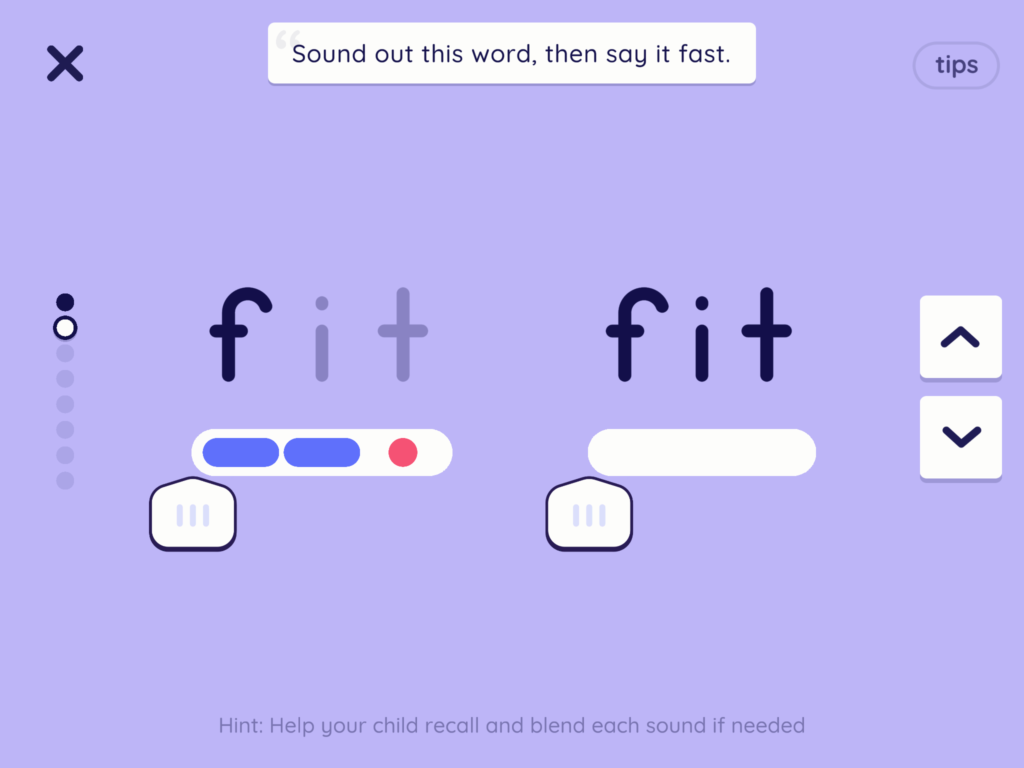
- Tactile sliders support blending skills: This is an outstanding feature and probably my favorite in the app. This was a game-changer for my youngest child’s blending skills—a critical step toward becoming a confident reader. This feature alone sets the app apart.
- Educational games that reinforce learning: After completing a lesson, children unlock educational games that are thoughtfully designed to reinforce the skills they’ve just practiced. These games feel purposeful, not like filler.
Reading.com – TRY FREE!
Cons
-
While it works perfectly well on iOS and Android devices, some users report bugs and compatibility issues on Amazon devices, such as the Amazon Fire tablet.
-
Not ideal for those looking for an app that allows children to work fully independently: You need to act as the lesson facilitator, as explained above. So, if you are looking for an app your child can use independently, this is not the right fit. That said, your presence while using apps is extremely positive. Research shows that children are 19 times more likely to learn from an app when it is used alongside an adult.
-
Not as many personalization options as some other apps may offer.
-
Focuses exclusively on reading skills (no math, social skills, etc.)
Verdict: An outstanding literacy app! When used consistently (at least three times a week), it can effectively teach your child to read. It includes excellent features—such as the tactile sliders—that I haven’t seen in any other app. However, if you’re looking for an app your child can use independently or one that includes other subjects (such as math or social skills), this app won’t be the right fit.
Reading.com – TRY FREE!
new in Reading.com! Teacher’s EDITION:
Everything in the standard app, plus a teacher portal that makes classroom use easy. Sync rosters, add more than three student profiles on one device, invite parents to collaborate, track progress with online reports, and place students where they belong in the scope and sequence—no placement test required. Check it here!
#2: Hooked on Phonics
Highlights: Nice, cute design. Aligned with Common Core Standards and their own learn-to-read curriculum. They offer a good-value subscription option that lets families use the app alongside their literacy curriculum. In addition to unlimited access to the app, the subscription includes materials (workbooks, readers and more) that are physically delivered to your address monthly. Note: This option is only available for US users (here) and Canada users (here). Hooked on Spelling and Hooked on Math Apps are now also included in the subscription.
Price: US$1 first month for their bundle, which includes uncapped access to the app and their curriculum materials. $12.99/month after that. No time commitment or lock-in contracts, option to cancel anytime. CA$2.99 for Canada users.
How to get: Get their almost FREE trial ($1 for a month) here!
Also available for Canadian users here!

Does Hooked on Phonics ring a bell?
If it does, it’s not surprising! It started as a Phonics program back in the 80’s (in 1987, to be more specific).
Their reading program has evolved quite a bit since then. It has also adapted to the digital era by creating its own Hooked on Phonics app.
What is the Hooked on Phonics app?
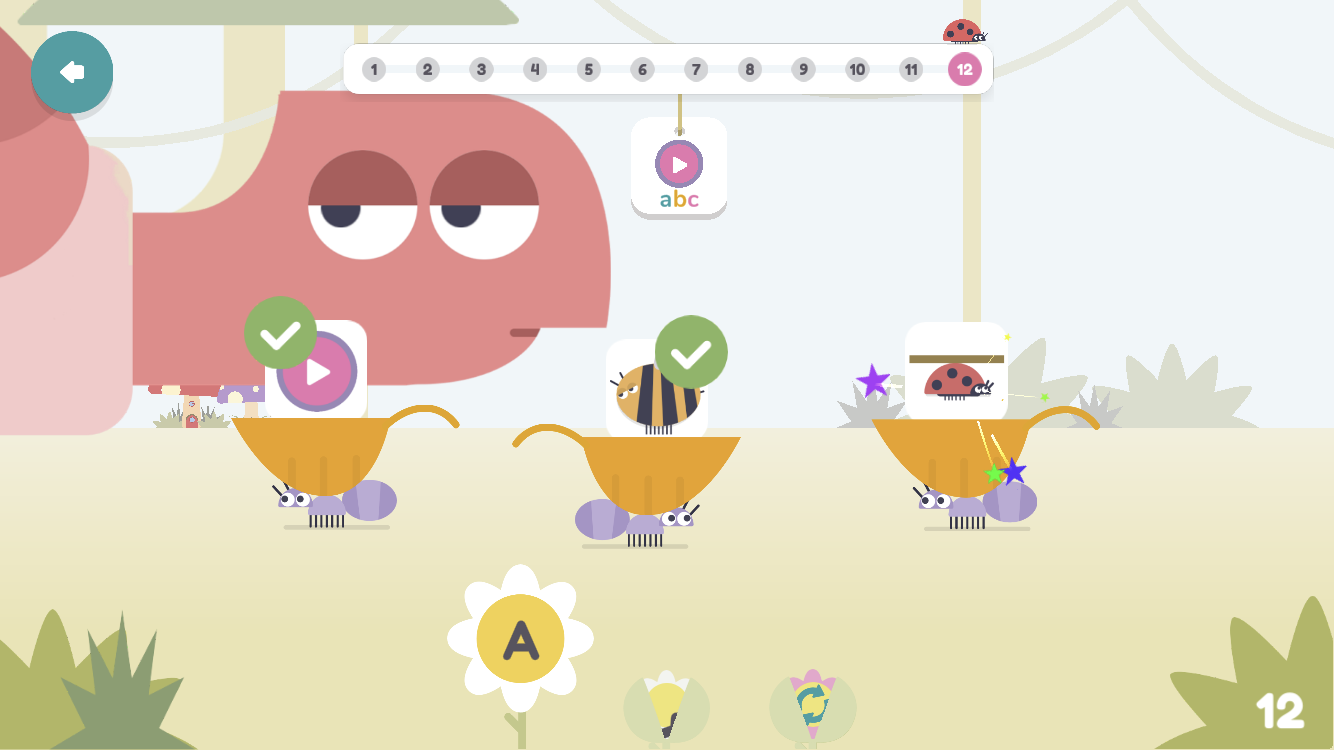
The app consists of 42 phonics lessons that start with learning basic pre-reading skills, moving on to short vowel sounds and consonant sounds, reading simple words, blends, digraphs, etc., all the way up to 2nd grade level standard (Common Core Standards).
What are Common Core Standards?
Common Core Standards describe what students should know and be able to do at each grade level (K–12). Since 2010, a number of states in the U.S. have adopted the same standards for English Language Arts and math. These standards are known as the Common Core State Standards (CCSS).
The goal of this initiative is to create a set of consistent, shared expectations so that students across different states receive a more uniform education.
That said, the standards have been controversial, and some parents and educators argue against them. However, many others appreciate alignment with Common Core as a helpful reference point when evaluating curricula and learning materials.
When you download the app, you’ll be asked a few questions to assess your child’s reading level (knowledge of the alphabet, letter sounds, etc.), so they can be placed at the appropriate level.
What are the different stages on the Hooked on Phonics app?
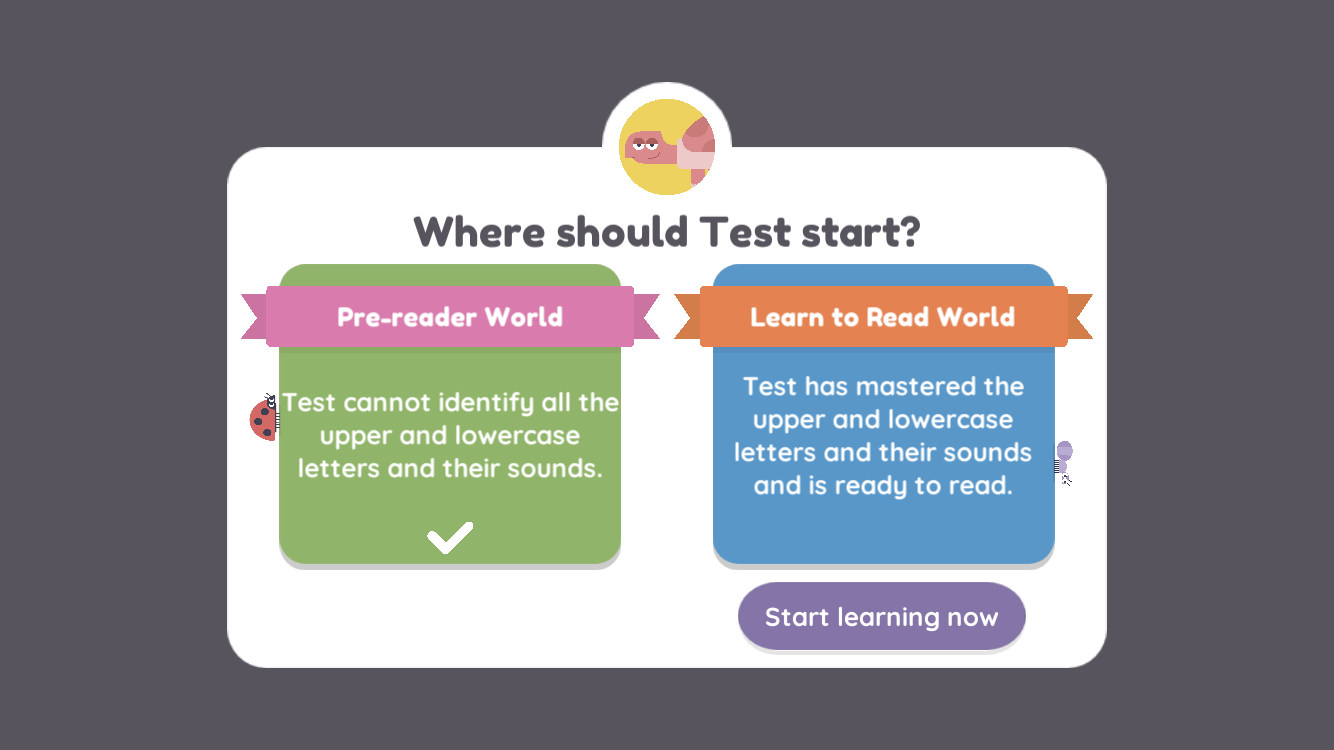
Pre-Reader (12 steps):
Your child learns the alphabet and letter sounds, including uppercase and lowercase letters.
Learn to Read (30 steps):
Children begin reading by blending sounds and are introduced to more advanced phonics concepts, such as letter combinations, word families, and decoding strategies.
Included at no extra cost:
The Hooked on Spelling and Hooked on Math apps are also included with the subscription.
Hooked on Spelling (10 steps):
Focuses specifically on spelling skills, including spelling patterns, rhyming words, and spelling words with suffixes.
HOOKED ON PHONICS – $1 OFFER!
Hooked on Phonics app: Pros
These are the areas where Hooked on Phonics really stands out:
- Distinction between uppercase and lowercase letters: While many programs introduce lowercase letters first, children eventually need to understand the relationship between letter sounds and both their uppercase and lowercase forms. This is a tricky concept for many children to grasp… and remember! Many apps only scratch the surface here, but Hooked on Phonics does an excellent job, offering plenty of opportunities to learn and practice uppercase/lowercase relationships.
- Perfect alignment with the Hooked on Phonics learn-to-read curriculum: The app closely mirrors the scope and sequence of the Hooked on Phonics curriculum, making it feel like a natural extension of the program. If you are already using their workbooks and readers, the app activities will be a perfect match. In this case, the subscription bundle—including the app, textbooks, readers, and additional materials—is well worth considering.
- Aligned with Common Core Standards: As mentioned earlier, the activities in the app are fully aligned with Common Core Standards (extending through 2nd grade). This is not the case for most educational apps. In fact, it is actually pretty rare to find an app aligned with Common Core Standards!
- Clean, child-friendly design: The design is modern, uncluttered, and easy for children to focus on letters and tasks without distractions.
-
Multiple profiles and device access: You can create up to three child profiles under one account and access the subscription on up to three devices at the same time.

Screenshot from the Hooked on Phonics app
Hooked on Phonics app: Cons
While there are a few tweaks I would personally make to this app, I still like it overall. It follows a logical sequence and a system that makes sense for teaching reading.
So, what are the tweaks I would do?
- In the pre-reading path, I would place more emphasis on teaching letter names and letter sounds together. I’d love to see more activities that ensure children truly master letters and their sounds. At times, it may move too fast for some young readers.
To be honest, I think that this is probably because, as mentioned earlier, this app was designed to be used in conjunction with their learn-to-read curriculum. The app was their way to provide an extra reinforcement tool to those using the Hooked on Phonics curriculum.
By the way, if you want to follow that route, don’t forget you can benefit from their Hooked on Phonics App & Practice Pack Subscription Special Offer.
In addition to unlimited access to the app, the subscription includes their learn-to-read curriculum materials (books, workbooks and more) delivered to your home address monthly.The bundle is only $1/first month, giving you plenty of time to decide without any risk (no lock-in contracts) whether this option works for you or not.
After that, you pay $12.99/ month.
However, this option is only available for US and Canada users.
Hooked on Phonics- $1 OFFER!
- Heavy emphasis on word families: In my opinion, the app places too much emphasis on word families. When practicing simple, fully decodable words, I prefer children to focus on blending each sound individually rather than relying on word families. This is a personal preference, but one worth noting.
- Occasional load time delays: Some activities’ load time might feel too long for impatient young children. Fortunately, it does not really happen very often!
-
Initial learning curve: During the first few days, my kids felt slightly overwhelmed by the options available at each step. However, once they understood the routine, they quickly got the hang of it. The app is very consistent in its structure, which ultimately makes it easy to use and predictable.
Who is Hooked on Phonics for?
I found the Hooked on Phonics app especially useful if you fall in one of these categories:
-
You want your child to move quickly or need extra reading support at home (for example, if your child is behind at school)
-
You value alignment with Common Core Standards
- You want to reinforce spelling, since Hooked on Spelling is included
- If you are actually using (or planning to use) this reading curriculum to homeschool your child, so you can benefit from their Hooked on Phonics App & Practice Pack Subscription Special Offer.
Verdict: Hooked on Phonics is a fast-paced, highly structured literacy app with a strong focus on phonics and blending. It features engaging content, clear visuals, and catchy songs, and is aligned with Common Core Standards. It works especially well for families seeking a clear, systematic path to reading and quick progress, though some children may need extra reinforcement in the early stages. On its own, it’s solid; paired with the Hooked on Phonics curriculum—and the included Hooked on Spelling and Hooked on Math apps—it becomes even more effective. A strong choice for focused, no-distraction reading instruction.
HOOKED ON PHONICS – $1 OFFER!
#3: Readability Tutor
Highlights: State-of-the-art technology that uses Artificial Intelligence + Voice Recognition to detect your child’s words and correct his/her mistakes when reading in the app.
Price: 30-day free trial.
How to get: Get free trial here.
Readability tutor is a reading tutor in an app. It listens to your child’s voice and corrects her/his mistakes as reading texts on the app.
With its patented software that combines Artificial Intelligence and Voice Recognition, this app is capable of detecting your child’s words and provide corrective feedback.
How does it work exactly?
What is Readability Tutor?
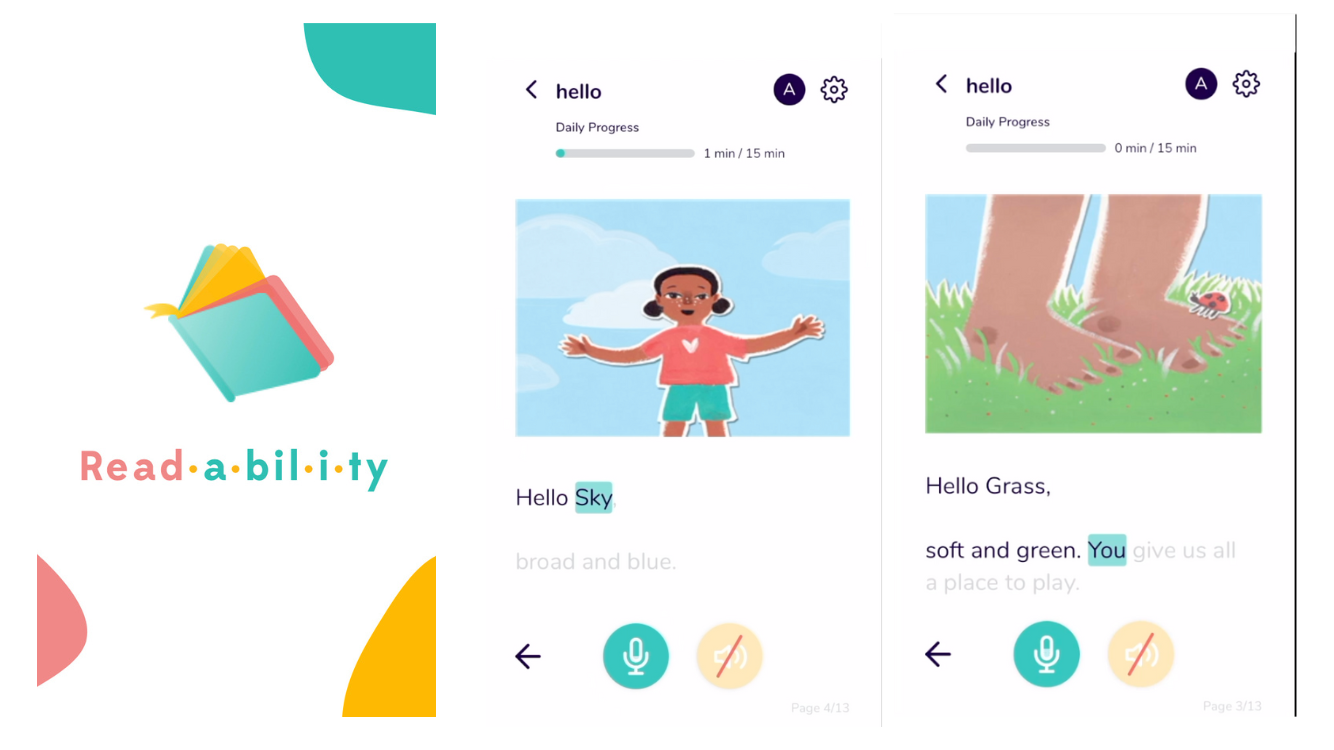
This app uses Artificial Intelligence and Voice Recognition to detect the words that your child is reading. If they are not right, it corrects the child mistakes, in the same way you would correct your child if you were reading with him or her.
At the end of the book, it also asks some comprehension questions, making sure that your child was also capable of understanding the book.
Besides, if your child does not know the meaning of a word, he/she can press on it while reading to learn its pronunciation, meaning, and add it to their vocabulary list.
This app is ideal for busy parents that don’t always have enough time to sit with their beginning readers; or for children that need extra reading practice but feel extremely conscious when they have to read in front of people in fear of judgement.
This app is available on Google Play, App Store and Amazon Kindle. However, it’s not available for use on computers.
This is a brief example of my child who was 6 at the time of recording this.
Try Readability for FREE!
Pros of the app
- More practice for beginner/ struggling readers: Beginner and struggling readers need lots of practice reading passages and books that are appropriate to their level, while someone by their side gives them feedback and corrects their mistakes. Even though, we (parents, educators, tutors, etc.) are the best option, the reality is that we can’t be there all the time. We sometimes simply can’t devote as much time to read with our children as they need on a daily basis. This app can be a handy helper.
- Comprehension questions that go above and beyond: As mentioned before, children are asked comprehension questions after reading each book. This is actually great, but sort of “common practice” in children’s digital libraries. However, what’s truly unique about the comprehension questions in this app is that they are open questions, so children are able to use their own words to answer them! Yes! Instead of a multiple choice quiz, or “yes/no” closed questions, kids can use their words to answer. This encourages critical thinking and engagement.
- Comprehensive Parents dashboard: As a parent you can access the app and track how your child’s progress. This accountability report includes all sort of details, such us kids’ reading accuracy, the number of minutes they spent reading, reading speed, etc.
- Personalized library: When creating your child’s profile you’ll be asked some questions about your child’s age and reading level. The app then comes up with a library of books appropriate for your child. This is key, especially with beginner and struggling readers! Books need to be a good match, and this app does a good job at providing books “at the right level.”
- You can create up to 3 profiles.
- Takes the pressure off a “real” person watching: Some children dread the experience of reading in front of a real person. This feeling of anxiety is extremely common among struggling readers, and dyslexic students. These kids can hugely benefit from the “no judgement” approach that this app offers. They get the opportunity to learn at their own pace, without feeling pressured.
- Vocabulary: When kids don’t know the meaning of a word, they can press on any word while reading to learn its pronunciation, its meaning, and add it to their vocabulary list. Their vocabulary list is stored and organized in alphabetical order for further review.

Reports at Readability Tutor
Cons of the app
- I have noticed some occasional glitches with the open questions feature.
- On the parents dashboard, I would love for the app to also tell me what specific mistakes my child had, and I haven’t found that.
Verdict: Digital tutor that gives your child extra practice with reading. State-of-the-cart concept and technology. Ideal for any student in need of extra time to practice reading.
Try Readability for FREE!
#4: Ello
Highlights: Combines AI reading support (this app also uses its own Voice Recognition software to correct your child’s mistakes as reading on the app), and phonics-based instruction. Contains a library of books aligned with the Science of Reading. Offers phonics mini-lessons and word warm-ups before reading books. Gently corrects mistakes without interrupting flow.
Price: 30-day free trial, with the code “LRH”. After that, $14.99/month.
How to get: Get free trial here.
Remember to use the PROMO CODE “LRH” for 30-day free trial, instead of 14-day FREE Trial.
What is Ello? What does it do?
Similar to the previous app (Readability Tutor), Ello listens to your child read aloud and offers real-time corrections. However, it also functions as a guided phonics curriculum.
Ello feels like a gentle blend of interactive software and structured instruction, and it feels designed with younger readers in mind. For instance, the corrections are offered by a cheerful elephant character who encourages and celebrates their progress.
Before diving into books, children are introduced to key phonics skills through mini-lessons and warm-up words.
The goal isn’t just to correct mistakes, it’s to teach decoding strategies that help children read independently and confidently. That is why, instead of correcting by saying the word your child struggles with straight away, it will sound it out for your child sound by sound, or syllable by syllable.

How does this app stand out?
One of the features where Ello stands out is in its approach to phonics and mistake correction. For instance, unlike Readability Tutor, which tends to be more rigorous in flagging errors, Ello is intentionally designed to let some slip through so kids don’t lose the rhythm of reading.
On top of that, if a child does get stuck, they can tap any word to hear it broken down—sound by sound or syllable by syllable—before the full word is revealed. This supports orthographic mapping and reinforces word recognition, rather than simply giving the answer. The structure is built around “reading quests,” where kids complete books tied to a specific phonics concept before moving on to the next.
It is quite remarkable as well that their library of books is aligned with the Science of Reading.
The Science of Reading is research showing that children learn to read best through explicit, systematic phonics and decoding instruction, not guessing or memorization.
Ello’s books are decodable and skill-matched, helping children practice exactly what they’ve been taught and build accurate, confident reading skills
Cons
I’d love it if they included comprehension questions at the end of books.
While their approach to mistake correction has logic, there are moments where I think an automatic correction might be a better option.
That said, as a parent, you can track your child’s progress through the ‘Words Your Child Found Tricky’ section in the progress report. This gives you insight into which words they struggled with and might need extra practice on.
Verdict: Unique AI-powered reading coach app that offers real-time corrective feedback, and adapts book selections to children’s reading level. Strong focus on decodable books and phonics practice, engaging interactive features, and a balanced reward system. A valuable tool for beginner and struggling readers, though its voice recognition isn’t perfect and it works best with some parental guidance rather than complete independent use.
#5: Funnix
Highlights: A reading curriculum in a web-based app. Written by Siegfried Engelmann, co-author of Teach Your Child to Read in 100 Easy Lessons (one of the most iconic books for teaching reading), and the creator of Direct Instruction model to teaching reading (DISTAR). Requires low-prep for parents, though it may feel highly structured for some learners.
Price: $24.99/month (standard at-home plan) Annual plan available (20% savings)
Special offer for Learning Reading Hub Readers:
$14.99/month (discount applied automatically) here!
(Redeem by 2026-03-21)It also gives access to their math program.
How to get: Benefit from their special $14.99/month offer (discount applied automatically) here!
What is Funnix?
Funnix could be described as the digital evolution of Teach Your Child to Read in 100 Easy Lessons. It follows the same Direct Instruction approach: clear explanations, carefully sequenced skills, heavy review, and minimal guessing.
The roots of Funnix go back to the 1960s, when Siegfried Engelmann first developed the Direct Instruction model at the University of Illinois. In the late 1990s, his son Owen adapted those ideas into a digital homeschool program—and that’s how Funnix was born. The homeschool program has recently adapted into a web-based app.
So… if you like the classic Teach Your Child to Read in 100 Easy Lessons, you’ll probably like Funnix too!
Lessons are fully narrated and scripted, guiding children step by step through phonemic awareness, decoding, and fluent reading.
Visual cues (dots, arrows, and underlines) support sound blending and gradually fade as children gain confidence and automaticity. This is another landmark of the DISTAR system.
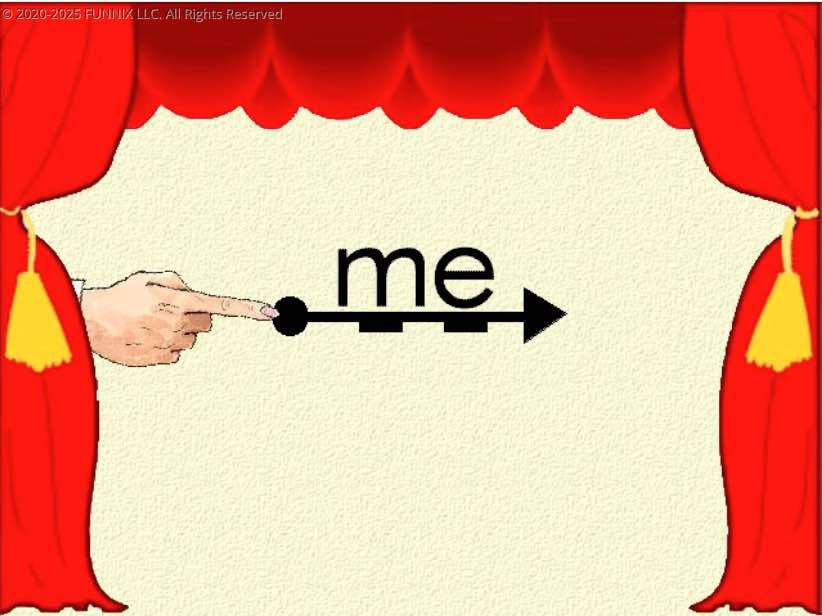
While the visuals feel retro and the lessons are not game-based, the program is intentionally distraction-free and laser-focused on teaching children to read accurately and efficiently.

Who is Funnix for? Funnix Pros
Funnix is a great fit if:
-
You value structure, clarity, and research-backed instruction
-
Your child benefits from routine, repetition, and explicit teaching
-
You are teaching reading at home and want a low-prep, scripted program
-
Your child is a struggling reader or needs extra decoding support
-
You like the philosophy behind Teach Your Child to Read in 100 Easy Lessons.
ACCESS EXCLUSIVE FUNNIX OFFER!
Funnix Cons
-
Computer-only (not tablet-based or mobile-friendly). This is a web-based app!
-
Lessons can feel repetitive for children who prefer variety
-
Session length (25–30 minutes) may feel long for some learners
-
Retro visuals and animations may not appeal to everyone
Verdict: If you’ve ever wished Teach Your Child to Read in 100 Easy Lessons could come alive on a screen, Funnix is the closest thing to it. It may not be flashy, but it’s clear, systematic, and highly effective, especially for children who need strong decoding foundations or benefit from explicit instruction. For families who prioritize results over entertainment, for kids that need focus, clear instructions and plenty of review and repetition… Funnix is a top-tier learn-to-read app!
ACCESS EXCLUSIVE FUNNIX OFFER!
#6: Fast Phonics
Highlights: A phonics-focused reading app that works especially well for reviewing and practicing foundational phonics skills. It uses short, engaging activities, animated lessons, interactive practice, and decodable books to help children strengthen their reading skills.
Price: Fast Phonics is included at no extra cost with a Reading Eggs subscription. Offers a 30-day free trial. US$9.99/month, after that. Cancel anytime. Anual subscription works out about $5.83/month, but you need to pay the full amount in advance.
How to Get: Oddly enough Fast Phonics can only be acquired when you get a Reading Eggs subscription. In other words it’s not sold separately. The subscription includes Fast Phonics, Reading Eggs, Reading Eggs Junior, and Reading Eggspress. Get the 30-day free trial here!
What is Fast Phonics?
While I’m not the biggest fan of Reading Eggs overall—and I genuinely believe there are stronger learn-to-read options out there—I do have to say this: Fast Phonics is actually very good, and it feels quite different from the main Reading Eggs program.
Fast Phonics is a phonics-focused app designed to help children review and strengthen core phonics skills, from basic letter sounds to blending and decoding words with more complex patterns (such as digraphs and vowel teams). I wouldn’t consider it a full learn-to-read curriculum on its own, but if what you’re looking for is a clear, structured way to practice phonics, this is an app worth serious consideration.
To me, Fast Phonics feels like Reading Eggs’ response to the growing shift away from balanced literacy and toward explicit, systematic phonics instruction. This is precisely what I felt was missing in Reading Eggs itself, where some concepts seemed to be introduced without enough explanation or relied too heavily on context and guessing.
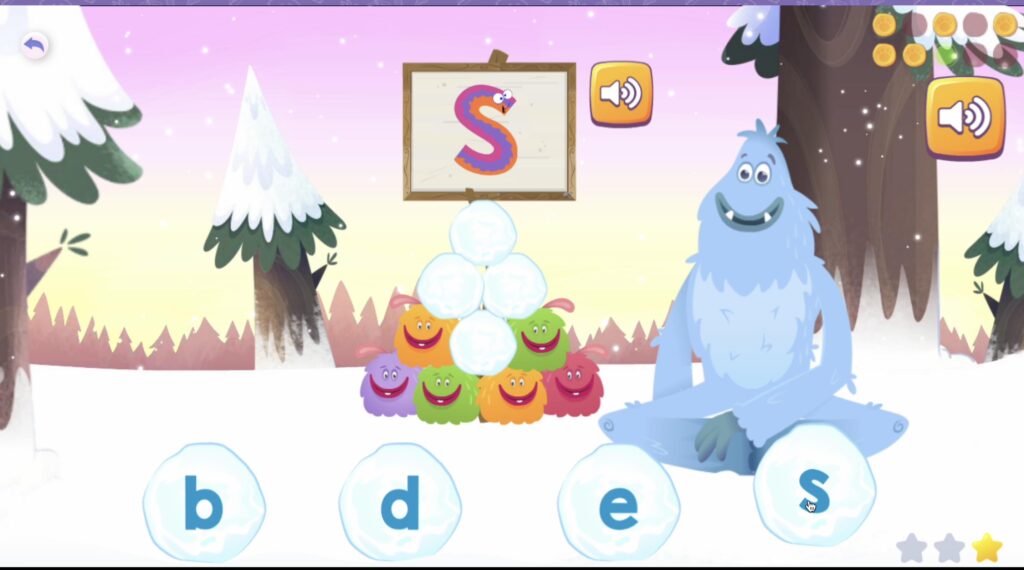
In Fast Phonics, instruction is much more intentional. Concepts are explained explicitly (but always in kid-friendly language), and the focus stays where it should be: letter–sound relationships, blending, and decoding.
What I Like About Fast Phonics: Pros
- Clear and straightforward: One of the biggest strengths of Fast Phonics is how clear and straightforward it is. Lessons are short, focused, and easy for children to complete without feeling overwhelmed. Each set of skills is supported by animated teaching videos, interactive practice, and an illustrated library of phonetically decodable books that align with what children have just learned.
- Incorporates embedded mnemonic strategies for teaching letter sounds: This is a research-backed approach that I personally love and use often, because it truly helps children remember sounds more effectively. If you want to learn more about using embedded mnemonics for teaching letter sounds, check out this article!
- The app is engaging without being distracting. The design is clean and simple, the characters are playful, and the reward system (gems, coins, etc.) provides motivation without taking attention away from learning. There are also regular quizzes and printable resources that help monitor progress and reinforce skills offline.
-
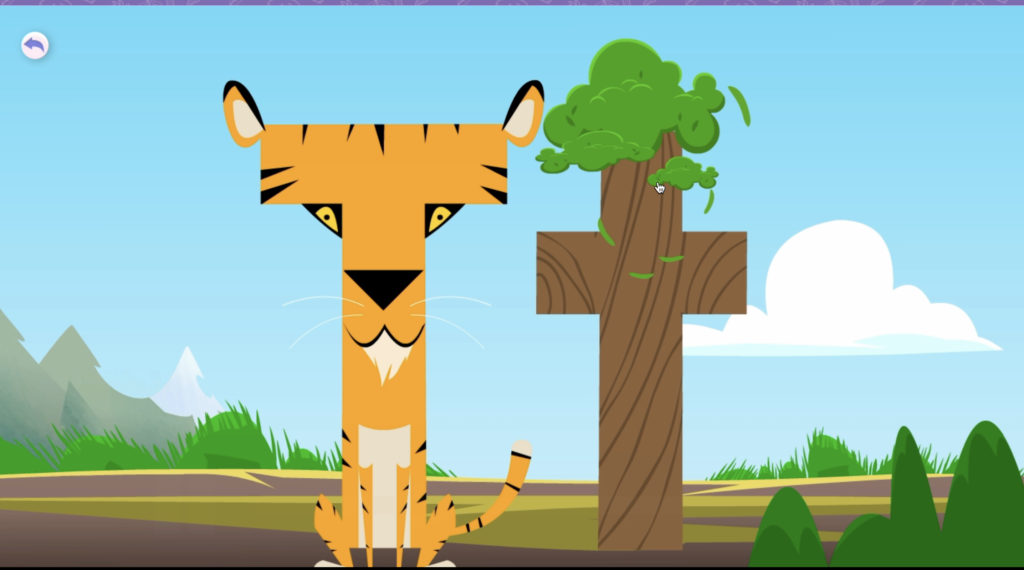
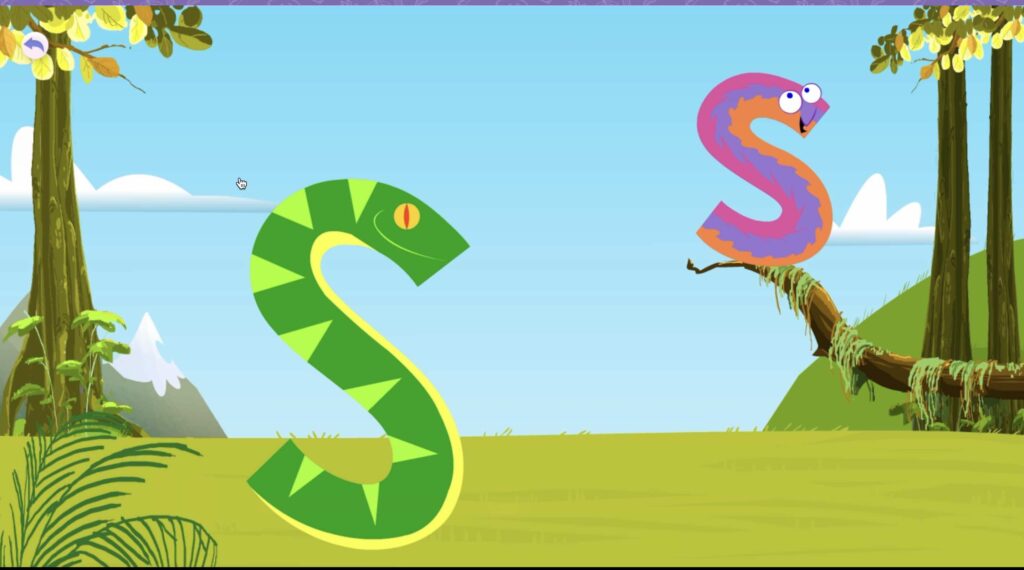
Uses a SATPIN-style phonics sequence: Another advantage some parents may appreciate is that Fast Phonics follows a SATPIN-style phonics sequence, introducing high-frequency letters (S, A, T, P, I, N) early on. This allows children to start blending and reading simple CVC words like sat, pin, and tap very quickly, which can be incredibly motivating and confidence-boosting. While this sequence is not necessary for learning to read, it can be appreciated by those who are already using a phonics system that follows this order or who want children to experience early reading success.
- Comes with a library of phonetically decodable books.
- It offers a 30-day free trial.
What I Don’t Love (Cons)
- It’s not available as a standalone app. You can only access it through a Reading Eggs subscription, which may be frustrating if you’re not planning to use Reading Eggs. Having said that, the subscription is still pretty affordable (between $5.83 and $9.99/month, depending on your subscription), and includes access to Reading Eggs Junior, Reading Eggs, Fast Phonics, and Reading Eggspress. Besides, you also have the option of adding their Math Seeds app to the bundle for just a bit more.
- While the app does a great job with phonics, I do not consider it a full literacy curriculum. It’s more like a reinforcement tool. If you are looking for a literacy curricula in an app, then there are better alternatives in this ranking.
Who Fast Phonics Is (and Isn’t) For
Fast Phonics is a great fit if:
-
You want a phonics-first app to review and reinforce letter sounds, blending, and decoding
-
Your child already has some exposure to phonics but needs more structured practice
-
You’re supporting an early reader (pre-K through early elementary, roughly up to Grade 2)
-
You’re working with an older child who has gaps in phonics knowledge
-
You value clear, explicit instruction aligned with what research tells us about how children learn to read
It may not be the best fit if:
-
You’re looking for a complete learn-to-read curriculum
-
You want an app that covers a wide range of subjects beyond reading
-
You prefer a slower, more exploratory approach to literacy instruction
Verdict: I wouldn’t get a Reading Eggs subscription for Reading Eggs—but I would consider it for Fast Phonics. For families who want focused, no-nonsense phonics practice, Fast Phonics is easily the strongest part of the package. A solid option as a reinforcement/further practice phonics tool.
#6: Lingokids
Highlights: Amazing for building vocabulary, acquiring pre-reading skills, and helping kids fall in love with reading, with a focus on making it enjoyable. Even though it’s not a full reading program, its safety, offline use, and progress tracking make it a great option for parents of little ones, especially for bilingual or English-learning kids.
Price: 7-day free trial. After that, it’s $13.49/month, or $5.99/month (annual plan).
How to get: here
What is LingoKids?
LingoKids is a top-notch learning app that’s perfect for preschoolers and getting kids ready to read. It’s all about having fun while learning, with super catchy songs and cool graphics that make picking up important pre-reading skills a breeze.
The app’s partnership with Oxford University Press means the English content is top-quality, making it a real gem for English Learners (EL students), ESL students (English as a Second Language Learners), or bilingual families.
What sets LingoKids apart?
What really sets Lingokids apart is how it helps kids build their vocabulary and fall in love with reading.
There’s so much to do across all the different subjects that kids stay engaged, and the reading-focused stuff is mixed in really cleverly!
The songs are a big hit with kids, which will help them out pick up new words without even realizing they are learning.
This, along with the app’s focus on making learning fun, sets kids up really well for reading instruction later on.

Is LingoKids a Reading Program in an app?
Lingokids is not a full reading program. However, it’s got so many great features to help build pre-reading skills that it’s worth considering for families with young children. Especially for English Learners (EL/ESL students), and for families who want to reinforce learning in a safe play-based environment.
You can feel good about your kids using it because it’s super safe. You can use it on the go keeping an eye on screen time, or you can also set screen time limits on the admin section!
The progress tracking is really useful too.
You can try it for free, or you may even want to just stick to their basic version (free, but bear in mind it comes with very limited access to the app).
Verdict: All in all, Lingokids is a fantastic way to get your little ones excited about reading in a fun, engaging way— especially if they’re bilingual or learning English as Second Language.
Try LINGOKIDS FOR FREE!
#7: Epic!
Highlights: Massive digital library for kids between 2 and 12 years old. Read aloud and read-to-me section, books in different languages, reading comprehension questions at the end. Assign books to read to your child. Since their vast library covers all tastes and preferences, this app is perfect to make your child fall in love with reading!
Price: Free (basic plan – capped). Unlimited plan between $7.25 month (annual plan). Requires a $84.99 payment upfront. $13.99/ month (monthly plan).
How to get: Get it here

Think of Epic as “your home library” or “the Netflix of children’s books.”
With 40K+ of fiction and non-fiction books for children between two and tweve years old, their library really cover all possible tastes and preferences… This way your child can get the “reading bug” from an early age.
What is Epic!?
Epic! is a children’s books digital library with 40K+ book titles for kids between two and twelve. The titles are really easy to find, and you get very relevant suggestions based on your preferences and settings.
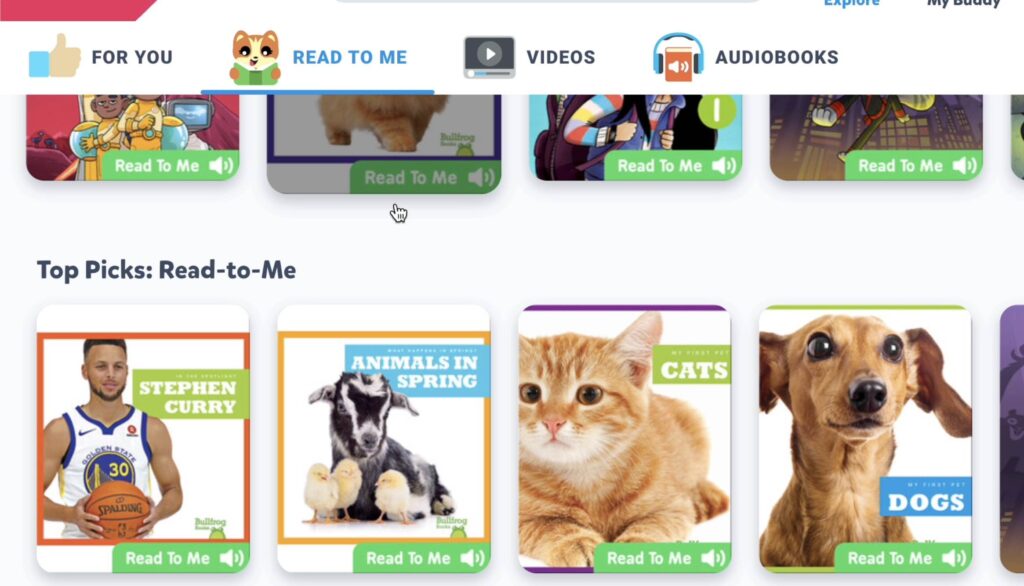
If your child is still on the initial stages of learning to read, Epic! gets you covered with lots of read-aloud and read-to-me books. This option is great when the adult is not available to read more challenging books.
Besides, the read-to-me books highlight each word is being read. That way your children also practice reading at the same time.
Pros
- Huge collection of book titles.
- Comprehension questions at the end of the books.
- Relevant suggestions to keep your child engaged and motivated to discover new titles.
- Great collection of audiobooks too.
- Library of educational videos as well.
- Content in other languages is also available
- You can assign books to your child.
- Lovely and intuitive design.
- Basic plan (free for life).
- Read-to-me books
Cons
- While there’s content in other languages, I’d love to see even more.
- Basic plan (free) is extremely limited.
Verdict: We think this app can be a great addition for any family! Why not having access to a digital library of kids’ book titles for free?
Go to Epic!

#8: Teach your Monster (to Read)
Highlights: Game based on phonics principles. Follows the recommended phonics curriculum across schools in England and Wales (systematic, synthetic phonics curriculum).
Price: Free to use on a PC, or $9.99 if you prefer to use the app on Android or Ios.
How to get: You can get it here.

What is Teach Your Monster to Read?
Teach Your Monster to Read is a computer game for beginner readers. It was designed for children on the very first stages of learning to read, making it ideal for children between 3 to 7 years old.
It is a great way to give children extra practice, but always in conjunction with the phonics program they may be using at school, or you may be using at home (if you are homeschooling).
Teach Your Monster to Read reinforces phonics skills in a game-based way.

How does it work?
First of all, you create your monster. Then, your monster will have to go through a series of tests and tasks in order to teach it to read!
Along the way, you get rewards for your accomplishments. These tests and tasks are all, of course, around letters and letter sounds!
The game is sequential in the order that sounds are introduced.
The game consists of 3 levels:
- Level 1: For children just starting to learn letters and sounds. Kids practice the most common sounds letters make and some basic 2-letter combinations (such as, “ck” or “ss”). They also get some blending practice with CVC (Consonant/Vowel/Consonant) words , and are introduced to some “tricky words” (Sight Words).
- Level 2: For children who are already confident with the “basics.” The games introduce more complex letter-combinations, like the “ch,” “sh,” or “ng” digraphs.
- Level 3: For kids who are already confident reading short sentences, and know all of the basic letter-sound combinations.

Our experience using the game
At our home, we found especially useful the mini-games part, where you pick and practice a specific sound of your choice.
It was a fun way to actually go over specific sounds that we found more challenging, or wanted further practice with. For instance, we picked to practice the digraphs (/sh/ /th/ /ch/ etc), as a reinforcement to our lessons.
We also enjoyed their “Sighties” game.
By the way, the voice and the sounds are in British English. You may appreciate this, or not, depending of what you speak at home, but I just wanted to make you aware!
Verdict: Fun and educational synthetic phonics game. Great for adding extra phonics practice to your phonics lessons. Recommended to use and as complement to your phonics-based literacy curriculum. Bonus points for this app if you live in Wales and England, as it’s aligned with the reading curriculum in Wales and England!
Teach Your Monster Game

#9: Khan Academy Kids
Highlights: Whole program that includes literacy, numeracy, arts, logic, social skills, etc. Aligned with Head Start Early Learning Outcomes Framework and Common Core State Standards.
Price: free
How to get: Android (here), ios ( here)
What is Khan Academy Kids?
Strictly speaking, Khan Academy Kids is not a reading app. It is a whole curriculum that includes other subjects as well, such us math, arts, or even logic.
Why did I include it here, then?
In my opinion, it offers great value for free. So, I thought it was truly worth adding it to the list!
It is aligned with the Head Start Early Learning Outcomes Framework and Common Core State Standards.
When it comes to learning to read and developing literacy skills, Khan academy has:
- A library of over 300 fiction and non-fiction books that are both available as Read-to-Me or Read-by-Myself, including comprehension questions at the end.
- Literacy activities in line with your child’s reading level.
- Phonics lessons that cover letter sounds in the alphabet, their written representation (lowercase and uppercase), starting to read simple words, such us CVC words.
Pros
- Beautifully designed: The content has been nicely designed and it is educational and engaging.
- Complete and comprehensive: If you are looking for a program that includes other subjects as well, it is an option for you to consider.
- A free app with no ads: Something I really appreciate and find quite remarkable considering it is a free app.
Cons
Khan Academy Kids is not 100% a systematic synthetic phonics program. Its approach leans more on word families than on blending individual sounds first, but overall it still offers a solid foundation for early literacy, as it teaches letter sounds, and covers blending.
Verdict: This is a good-quality app that offers a wide range of activities across different subjects, including literacy and numeracy. The reading content is engaging and enjoyable, but I wouldn’t recommend using it on its own to teach reading. If your main goal is to help your child learn to read, I’d always prioritize a systematic synthetic phonics approach, as research shows this is the most effective method for supporting all learners.
Download: Android (here), ios ( here)
#11: Starfall
Highlights: Offers a decent variety of free activities and games (web version). Can be used with children that are learning to read from scratch or as complement to a phonics curriculum.
Price: free (BUT limited to just some games and activities, and only in their web version). Unlimited access to all games and activities (from $35 – $355 / year)
How to get: here.
What is Starfall?
Starfall is both a website and an app, containing a great variety of learn-to-read and maths activities, from pre-K to grade 3.
It operates on a freemium basis, meaning that some contents are free, while you need to pay an annual membership for unlimited access to all games, lessons and activities.
It is especially good, in my opinion, for beginner readers, as it contains many activities for children that are just starting out.
In fact, my favorite part is the “Learn-to-Read” section with games, activities and interactive stories.
Starfall isn’t a comprehensive reading curriculum—at least its home version isn’t!
Again, this is a good app to use as a complement to whichever phonics program you may be using, in order to give your child extra practice and to strengthen key concepts.
The app version is both available for Android and Ios devices.
Pros
- Has a free-forever version: On the free version, the activities and games that you get are free forever.
- Multi-sensory and interactive stories and games are fun and engaging for kids.
- Follows a sequential phonics order, building up complexity as you move along the program.
- Possibility to click on words on books you read in the “I’m reading” section: This is handy to check your reading, and for when you are having problems with a word.
- Read-to-me books keep children engaged, as they follow with their eyes the words that are being read to them, which helps them learn to read.
- Numeracy-skills activities also included.
Cons
- Outdated design: The interface feels a bit cluttered and isn’t as modern or intuitive as newer apps.
- Not a full learn-to-read program: While it offers a variety of activities, it’s probably not sufficient on its own to teach a child to read. It’s best used as a complement to reinforce reading instruction.
- Free activities and games only available on web version.
-
Read-to-me highlighting in the read-to-me books is done at the sentence level rather than word by word: This makes the feature less effective for early readers, as highlighting each individual word while it’s being read better supports tracking print and mimics the act of reading independently.
Verdict: Starfall is a friendly, engaging app best used as a supplement, not a full learn-to-read program. It’s especially helpful for beginner readers or for reinforcing skills alongside a phonics curriculum. While the free web version is a plus, the dated design and limited structure mean it’s not ideal as a stand-alone reading solution.
Visit Starfall
Hey there! I’m Laura – an author, YouTuber, blogger, and the creator of the “Learning Reading Hub” platform. I created this space to dive into the world of reading instruction and to shout from the rooftops about how vital it is to use the right methods for teaching reading. I’ve got a TEYL certification (Teaching English to Young Learners), plus a Journalism degree from the University of Navarra in Spain, along with a Master’s Degree in Communication. I’ve always loved digging into research, jotting down my thoughts, connecting with people, and sharing what makes me tick. With a background in marketing, digital projects, and the education scene (especially language learning), I’m all about wearing different hats. When my first kid needed to learn how to read, it opened my eyes to the challenges and complexities involved. This journey took me through a rollercoaster of self-teaching, eye-opening discoveries, and yeah, some letdowns too. There’s so much conflicting info out there, along with methods that just don’t cut it. And let’s face it, these issues are way too common. Now, I’m all about channeling that passion (without sounding like a know-it-all!) and sharing my journey. My mission? Making it easier for those who are on the same path I once was. My heart’s with my family and the amazing Learning Reading Hub project. I live with my husband and two little ones, raising them in a bi-lingual environment (English and Spanish).

One reply on “Ranking of the Best Learn-to-Read Apps in 2026! The Reading Apps that You can’t Miss out!”
I love learning to read, so I’m excited to see the best learn-to-read apps in 2022!